
How Assistia Works
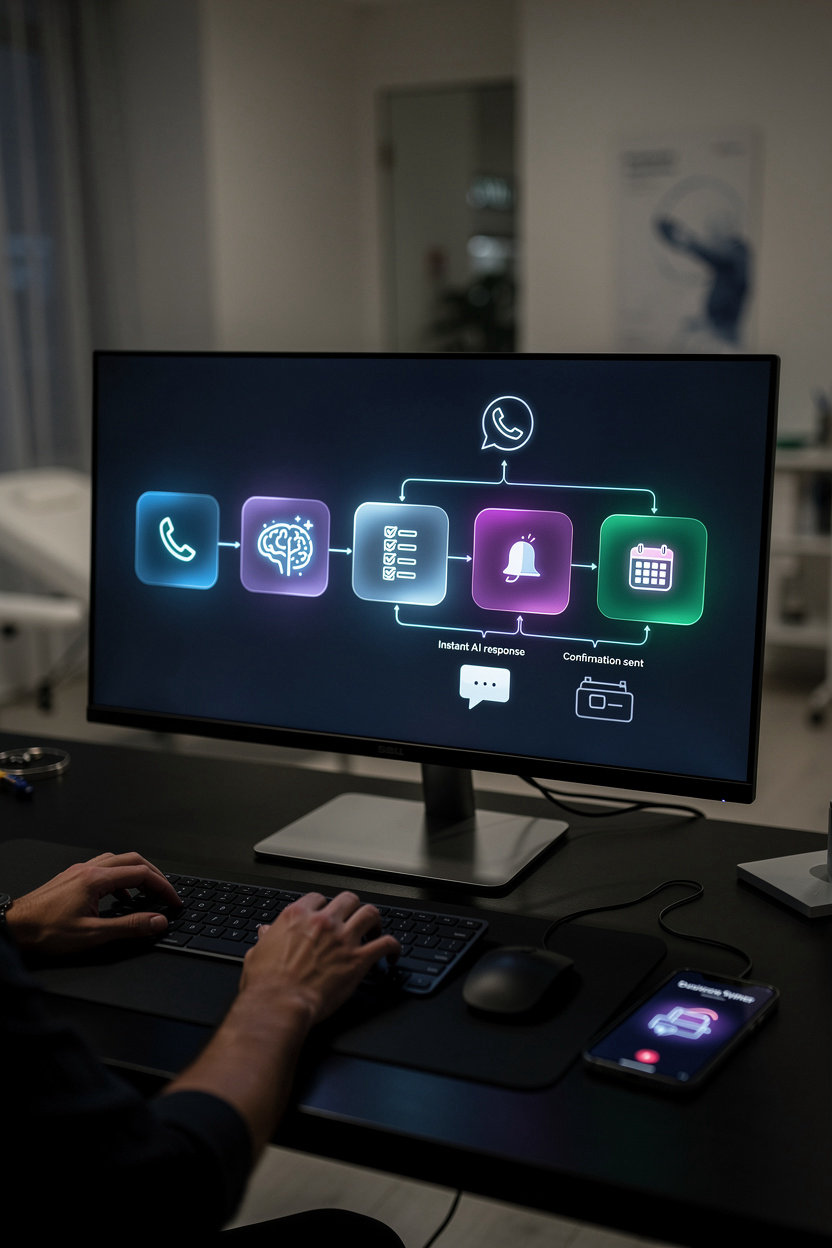
Assistia automates your entire customer response workflow. From the moment a customer calls or messages, to appointment confirmation and calendar sync—everything happens seamlessly, 24/7.
Customer initiates contact
Call, WhatsApp message, or website form—it doesn't matter. Your customer reaches out however they prefer.
AI responds instantly
No waiting. No voicemail. The AI answers immediately, 24/7, with a natural, professional conversation.
AI qualifies the lead
The AI asks the right questions: "What service do you need? When are you available?" Gathers all the information you need.
AI books the appointment
If availability matches, the AI confirms the appointment. No double-booking. No back-and-forth emails.
Confirmation sent automatically
Customer receives instant confirmation via WhatsApp, SMS, or email. They know exactly when their appointment is.
Synced to your calendar
The appointment appears instantly in Google Calendar, Outlook, or Calendly. Real-time sync. No manual entry.
You focus on serving clients
Receive a summary of the conversation and booking. You're ready when they arrive. No surprises. Pure efficiency.
The result: More customers captured. Zero missed calls. Appointments booked while you sleep. Your business runs on autopilot.
AI Voice Agents: Always Answering
Your customers call at 3 AM. Your team is sleeping. Assistia's AI answers anyway—and books the appointment.
What Happens When a Customer Calls
The moment your phone rings, Assistia's AI picks up. No waiting. No voicemail. No lost lead.
Customer Calls
Your phone rings. Assistia's AI answers within the first ring.
AI Greets & Listens
Professional greeting. The AI listens carefully to understand what the customer needs.
AI Qualifies & Books
The AI asks the right questions, checks your calendar, and books the appointment—all in one call.
Confirmation Sent
Automatic confirmation via WhatsApp, SMS, or email. Customer has proof. You have a booking.
Real Conversation Example
"Hola, necesito una cita para mañana."
Customer
"¡Claro! Me encantaría ayudarte. ¿Qué tipo de servicio necesitas?"
Assistia AI
"Limpieza dental. Prefiero por la tarde, alrededor de las 2 PM."
Customer
"Perfecto. Tengo disponibilidad a las 2 PM mañana. ¿Cuál es tu nombre y número de teléfono?"
Assistia AI
"Soy María García. 829-555-0123."
Customer
"¡Listo, María! Tu cita está confirmada para mañana a las 2 PM. Recibirás un mensaje de confirmación en WhatsApp en un momento. ¿Hay algo más en lo que pueda ayudarte?"
Assistia AI
"No, gracias. ¡Hasta mañana!"
Customer
Total call time: Less than 2 minutes. Appointment booked. Customer happy. You're notified instantly.
How the AI Understands Context
Natural Language Understanding
The AI doesn't just listen for keywords—it understands what customers actually mean, even with accents, interruptions, or unclear phrasing.
Real-Time Calendar Check
Before confirming any appointment, the AI checks your live calendar. No double-booking. No conflicts. Ever.
Multi-Language Fluency
Spanish, English, Portuguese, and more. The AI switches seamlessly based on the customer's language—no manual configuration needed.
Business Knowledge
The AI learns your business rules, pricing, service offerings, and FAQ. It answers questions like a real team member—because it knows your business.
Escalation to Humans
If a customer needs something complex, the AI smoothly transfers the call to your team with full context. No repeating information.
Instant Learning
Update your FAQ or business info in the dashboard. The AI learns it immediately—no waiting, no retraining needed.
The Appointment Booking Flow
Customer States Intent
"I need an appointment" → AI confirms the service type and checks availability instantly.
AI Offers Available Times
AI pulls from your calendar and offers 3–4 available time slots. Customer chooses one.
AI Confirms & Collects Info
Name, phone, email, any special requests. The AI gathers what's needed—nothing more, nothing less.
Appointment Locked
The appointment is added to your calendar instantly. No overbooking. No conflicts.
Confirmation Sent
WhatsApp, SMS, or email confirmation goes to the customer automatically. You're notified too.
Automated Reminders
24 hours before the appointment, the AI sends a reminder. Reduces no-shows by up to 40%.
Common Concerns—Addressed
"Will it sound robotic?"
No. Assistia's AI uses advanced voice technology that sounds natural, warm, and professional. Customers won't realize they're talking to AI—and most won't care once they have an appointment booked in 90 seconds.
"What if the AI makes a mistake?"
You review every appointment before it's confirmed. The AI creates a summary, and you have final approval. If something's off, you can edit or cancel instantly through your dashboard.
"Can customers reach a real person?"
Absolutely. If a customer asks to speak to a human, the AI transfers the call instantly—with full context. Your team picks up knowing exactly what the customer needs.
"What about accent or dialect?"
The AI understands Caribbean Spanish, Dominican accents, English with variations, and more. It's trained on real conversations, not sterile textbook language.
"What if my business has complex rules?"
The AI can handle it. Lunch breaks, buffer times between appointments, service-specific pricing, availability by day—you define the rules once, and the AI enforces them perfectly every time.
WhatsApp Automation: Where Customers Are
Over 80% of Caribbean customers prefer WhatsApp for communication. Assistia meets them there—instantly responding, booking appointments, and sending confirmations without you lifting a finger.
Instant Responses
Customers message you. AI responds immediately with availability, pricing, or answers to FAQs—24/7, no waiting.
Direct Booking via WhatsApp
Customers book appointments without leaving the chat. AI confirms, syncs to your calendar, and sends reminders automatically.
Automated Confirmations & Reminders
Reduce no-shows. AI sends booking confirmations, day-before reminders, and follow-ups—all on WhatsApp where customers see them.
Two-Way Conversation
Customers ask questions. AI answers in context. Complex issues? AI escalates to your team with full conversation history.
Pro Tip: WhatsApp + AI voice agents = complete omnichannel automation. Customers can call or message. You respond instantly either way.
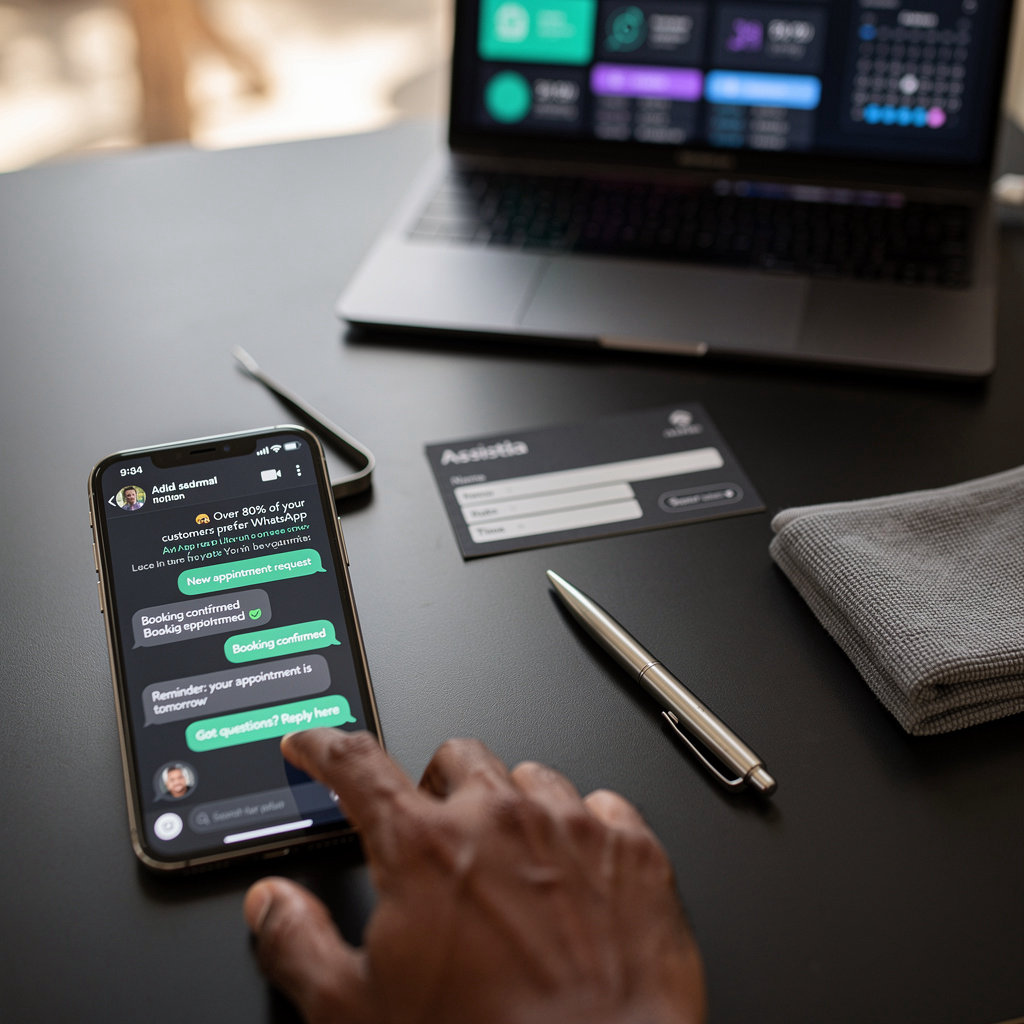
Real Example
Customer: "Hi, I need a haircut tomorrow afternoon."
Assistia AI: "Perfect! I have 2 PM and 3 PM available. Which works?"
Customer: "2 PM"
Assistia AI: "Booked! You'll get a reminder tomorrow at 1 PM. See you then!"
Your Calendar, Automated
Assistia syncs directly with Google Calendar and Outlook. Real-time availability checking, zero double-bookings, instant appointment confirmation. No complicated setup—if you use a calendar, you're ready to go.
How Calendar Integration Works
Your Calendar
Google Calendar or Outlook
Assistia Checks
Real-time availability
AI Books
Appointment confirmed
Instant Sync
In your calendar
Real-Time Availability
Assistia checks your calendar in real time. When a customer wants to book, the AI instantly knows what slots are available and books the appointment without any back-and-forth.
Zero Double-Bookings
Once an appointment is booked in your calendar, it's locked. No more accidental double-bookings or scheduling conflicts. Assistia always knows what's taken.
Multi-User Calendars
Multiple team members? No problem. Assistia can integrate with multiple calendars at once, checking availability across your entire team and distributing appointments fairly.
Smart Buffer Time
Set buffer time between appointments, lunch breaks, travel time—whatever you need. Assistia respects all of it automatically. Your calendar, your rules.
Works with Your Calendar
Google Calendar
Full integration. Instant sync.
Outlook
Seamless calendar sync.
Other Platforms
Custom integration available.
No Complicated Setup
If you already use Google Calendar or Outlook, you're ready. One-click integration, and Assistia starts respecting your availability immediately. No API keys, no manual configuration, no IT team needed.
Schedule a quick demo and we'll show you how it works.